CV666 casino login portal

Casino CV666 uses a phone number based account system, so login is simple once you know where the buttons are and how sessions work. This guide explains sign in on the website and in the mobile app, what the login form fields mean, and how to fix the most common issues like wrong password, unstable network, or access problems when a domain is blocked. You will also learn how CV666 protects accounts with device and payment checks, and when identity verification can appear during withdrawals.
Why login matters on CV666

Logging in is not just about entering games. On Casino CV666, sign in gives access to the Personal Center where the platform keeps the tools players actually use daily.

After you log in, you can:

  • Check your balance in Bangladeshi Taka and see what is available for play.
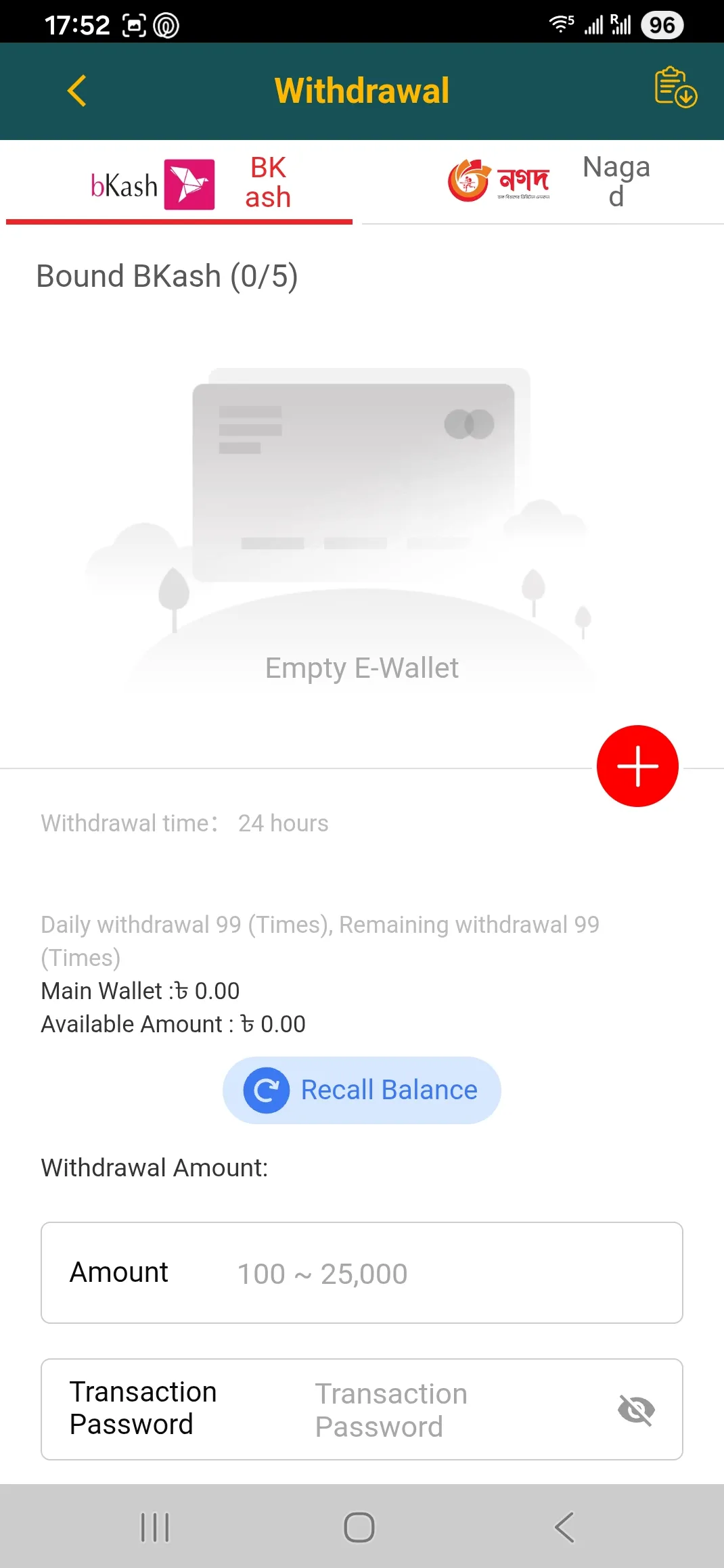
  • Open Deposit and Withdrawal screens, including wallet binding for bKash or Nagad.
  • Review Betting Record and Account Record to track wins, losses, and valid bets.
  • Use Reward Center for daily sign in, rescue funds, mission bonuses, and promo code claims.
  • Manage referral statistics and rewards if you invite friends.

A practical detail for Bangladesh: CV666 relies on a phone number as the main identifier. That makes login fast, but it also means you should treat your SIM access as part of your account security.

If you want a broader look at the platform before you sign in, use the main page Casino CV666 home and then return here for the exact steps.

Go to CV666 access page
CV666 login form fields

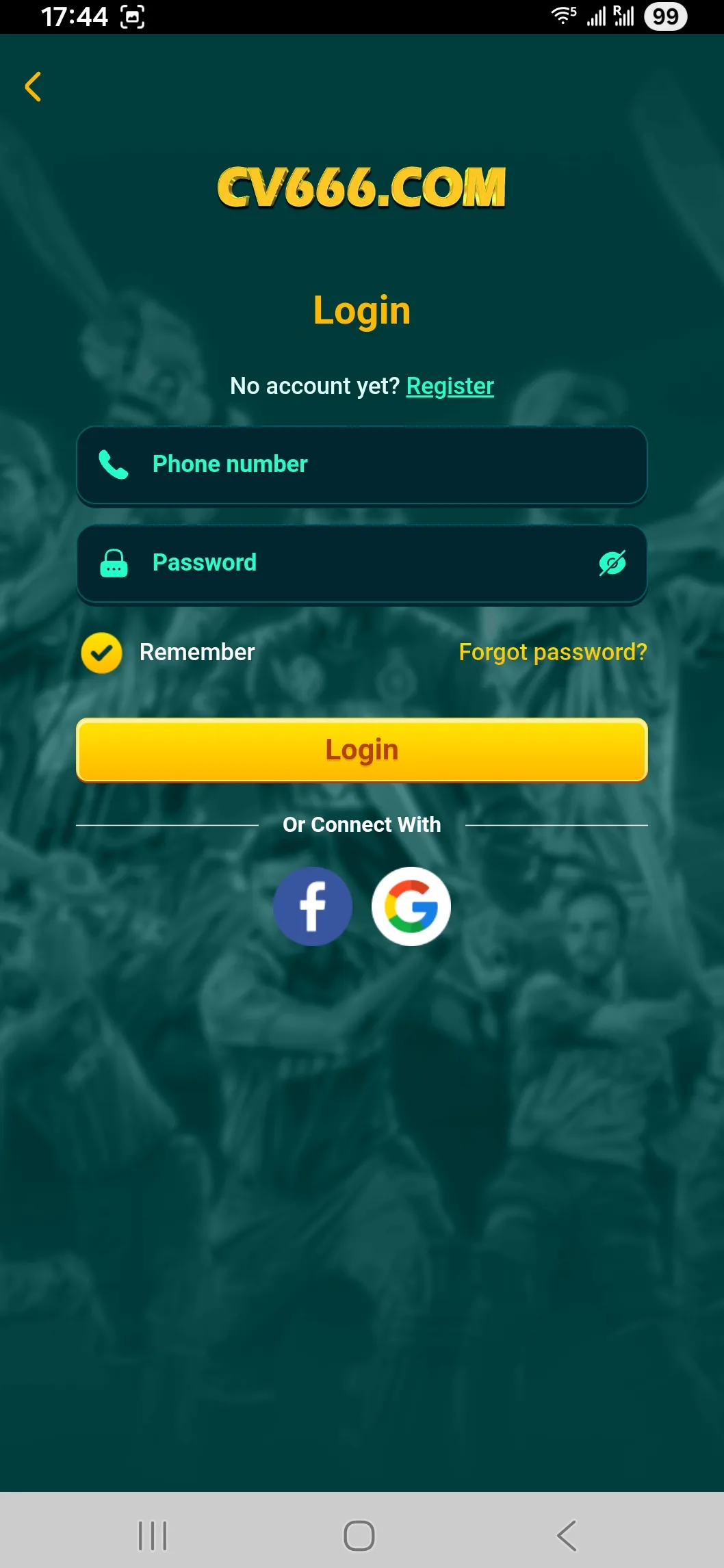
The CV666 sign in form uses phone number and password, with Remember and Forgot password options.

Ways to sign in: website, app, and mirrored domains

CV666 supports two main ways to log in.

1) Web login in a browser

You open the official entry domain and use the Login button. The browser version is useful if you do not want to install anything, or if you play from a laptop in Dhaka or Chattogram.

2) App login on Android or iOS

The official mobile app is built for fast navigation between games, deposits, and rewards. Many players prefer the app because it keeps sessions stable and loads games smoothly even on budget phones.

What about alternative domains

CV666 uses a multi domain setup. Players may see CV666.COM and also other domains used as mirrors to keep access stable when an ISP blocks a link. The login credentials stay the same because the platform operates inside the TAKA Alliance ecosystem, which suggests shared account infrastructure across alliance brands.

If a link does not open, do not create a new account in a panic. First, try the official entry via the access page and sign in with your existing phone number.

If you already have an account, sign in first. It is the quickest way to reach Deposit, Withdrawal, Reward Center, and your bet history in one place.

Where to find the Login button

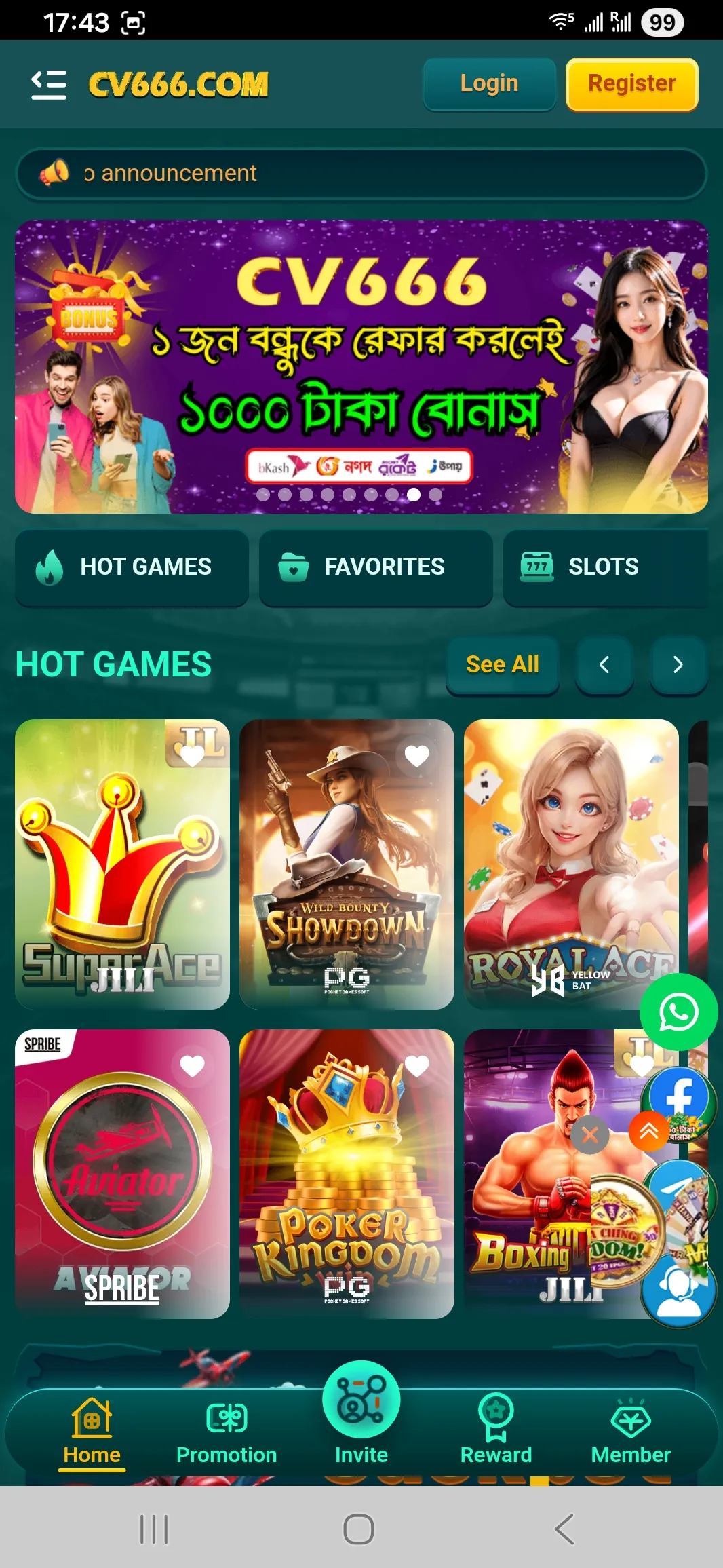
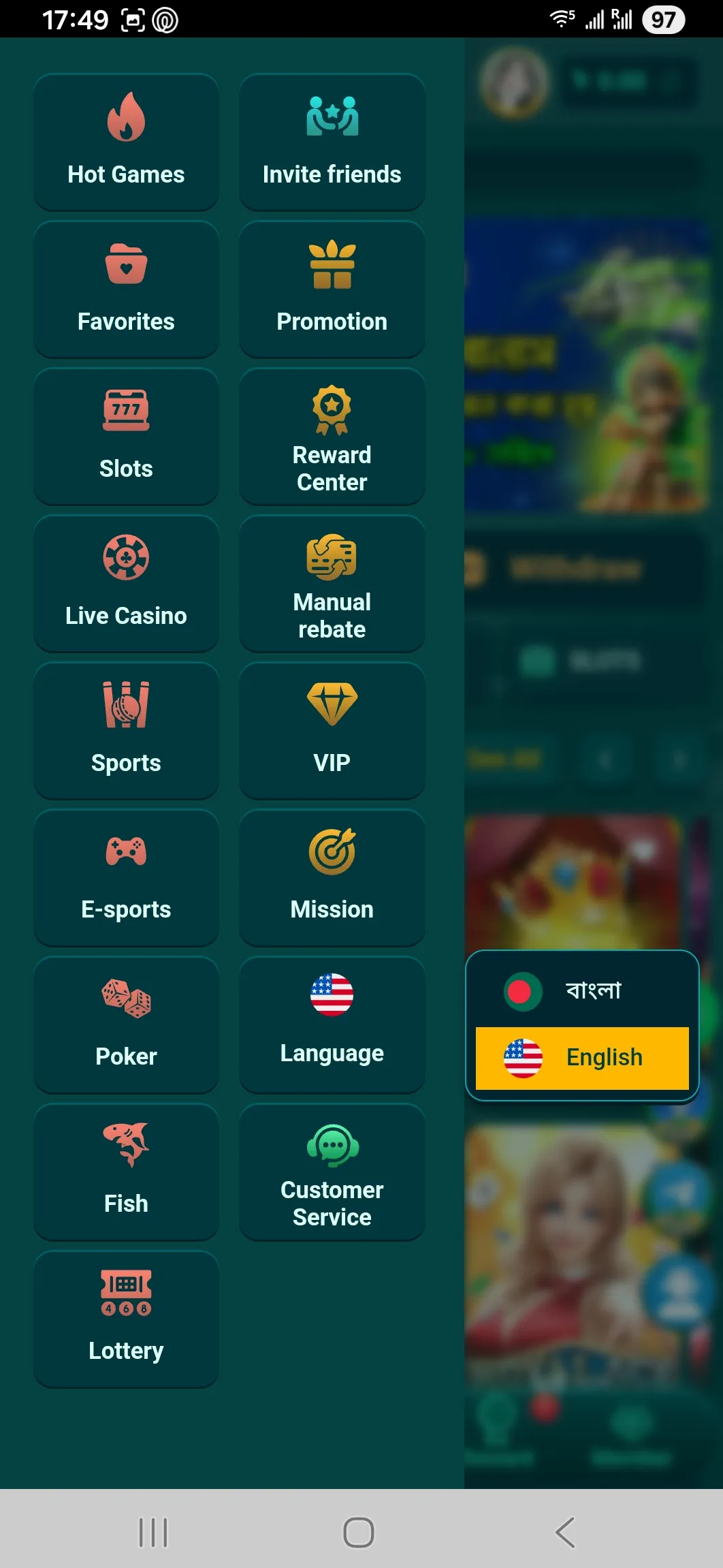
On the CV666 home screen, the Login and Register buttons are visible at the top area. In the mobile layout, you can also reach login from the side menu.

Players usually miss login for one of two reasons:

  • They open a game lobby preview and forget they are still not signed in.
  • They use a mirror domain where the header layout looks slightly different.

Tip: if you can see a user avatar, balance, or VIP level, you are already logged in. If you see Login and Register buttons, you are not.

Below is what the home screen looks like before login.

CV666 home with login buttons

The home screen shows Login and Register at the top before you enter your account.

Open CV666 and check login status

Step by step login process

The CV666 login flow is short, but it helps to do it in a clean order, especially if you switch devices.

  1. Open the official domain or a working mirror.
  2. Tap Login.
  3. Enter your phone number used for registration.
  4. Enter your password.
  5. Optional: enable Remember me only on a private device.
  6. Tap Login and wait for the balance to load.

What the form fields mean

  • Phone number is your account ID. CV666 registration is phone based, so this is not a nickname.
  • Password is the password you created during registration.
  • Remember me saves the session in the app or browser storage. It is convenient, but risky on shared phones.
  • Forgot password starts the recovery flow.

If the platform rejects your details, slow down and recheck the phone number format. Many failures come from a wrong digit, not from a system error.

Continue to CV666 sign in

Login through the mobile app: what feels different

The app login uses the same phone number and password, but the experience is different in three useful ways.

  • Faster navigation: after sign in you land closer to the game lobby and wallet actions.
  • More stable sessions: the app typically keeps you logged in longer than a mobile browser.
  • App linked promos: CV666 runs app related rewards like the fixed 18 Tk app download bonus in some campaigns, and Telegram based bonus codes are often aimed at app users.

One practical tip for Bangladesh: avoid switching between several devices during the same day if you hunt bonuses. CV666 terms include anti fraud checks that can compare IP, device, and payment details. If the system sees suspicious duplication, it can cancel promotional credits.

If you want to manage your VIP salary or mission rewards, the app interface is usually the easiest path because Reward Center and Mission are one tap away.

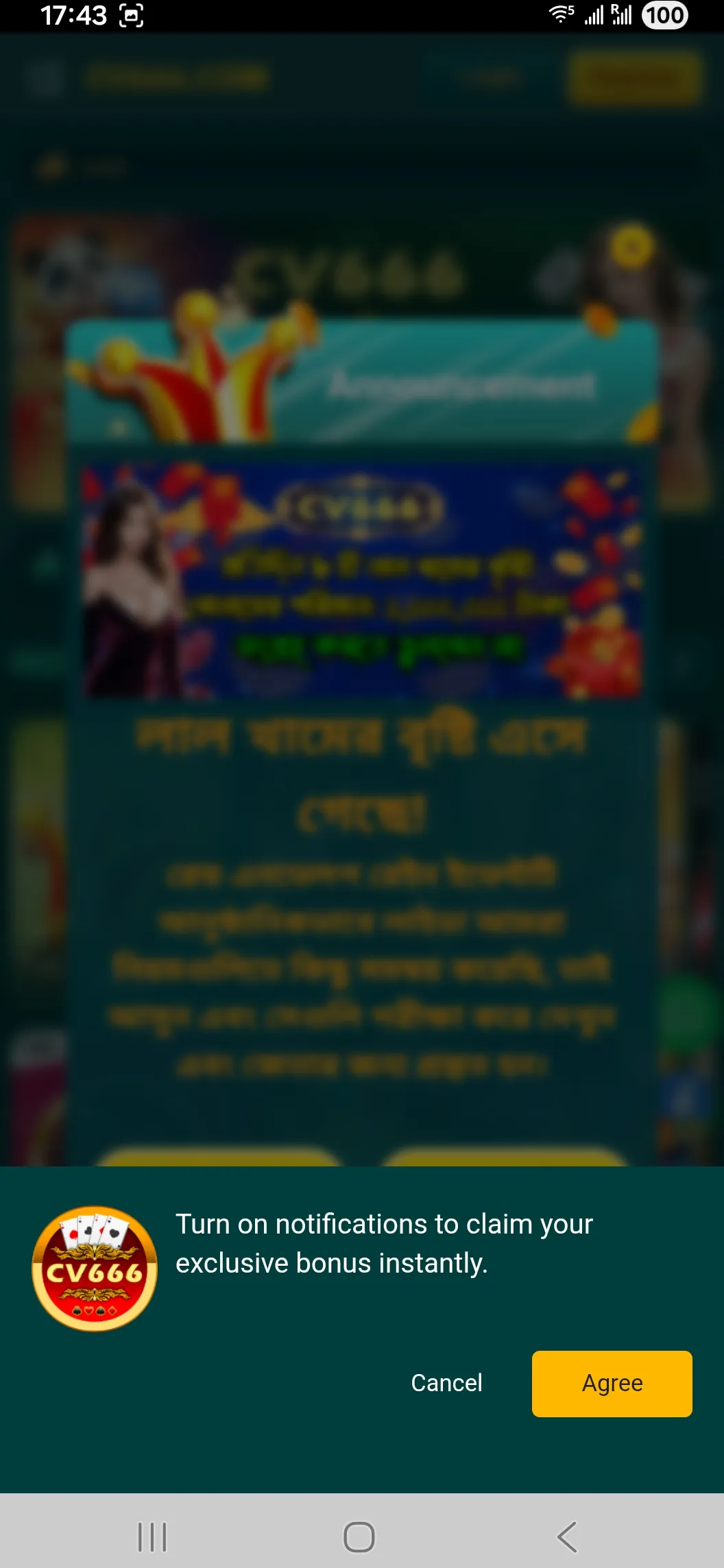
Bonus notification prompt

Allowing notifications helps you see bonus codes and reward reminders without missing time limited offers.

Use one main device for daily play. It reduces login friction and helps avoid anti fraud flags when you claim bonuses.

Common login problems and quick diagnosis

Most CV666 login issues fall into a few patterns. Fixing them is usually faster than contacting support.

Wrong password or repeated failures

  • Check if your keyboard uses a different language layout.
  • Make sure you are not confusing 0 and O if your password contains both.
  • Try manual typing instead of auto fill.

Domain does not load

  • Use a working entry point via the access page.
  • If your network blocks one domain, a mirror can work without changing your account.

Stuck on loading after login

  • Switch from mobile data to Wi Fi or back.
  • Close the app fully and reopen.
  • Clear browser cache if you use a web login.

Account locked or bonus removed after login

CV666 uses strict anti fraud enforcement. The platform can check IP address, device, phone number binding, payment instruments, and identity details. If the system thinks two accounts belong to one person, promotional eligibility can be removed and in severe cases the account can be frozen.

If you suspect a lock, gather details before you contact support: your account phone number, approximate login time, and any recent device changes.

Try login again on CV666

CV666 side menu items

Safe session habits on shared phones

If you share a phone in your family, do not use Remember me. Log out after every session and avoid saving passwords in the browser. This matters because CV666 accounts are tied to a phone number and wallet actions are available right after sign in.

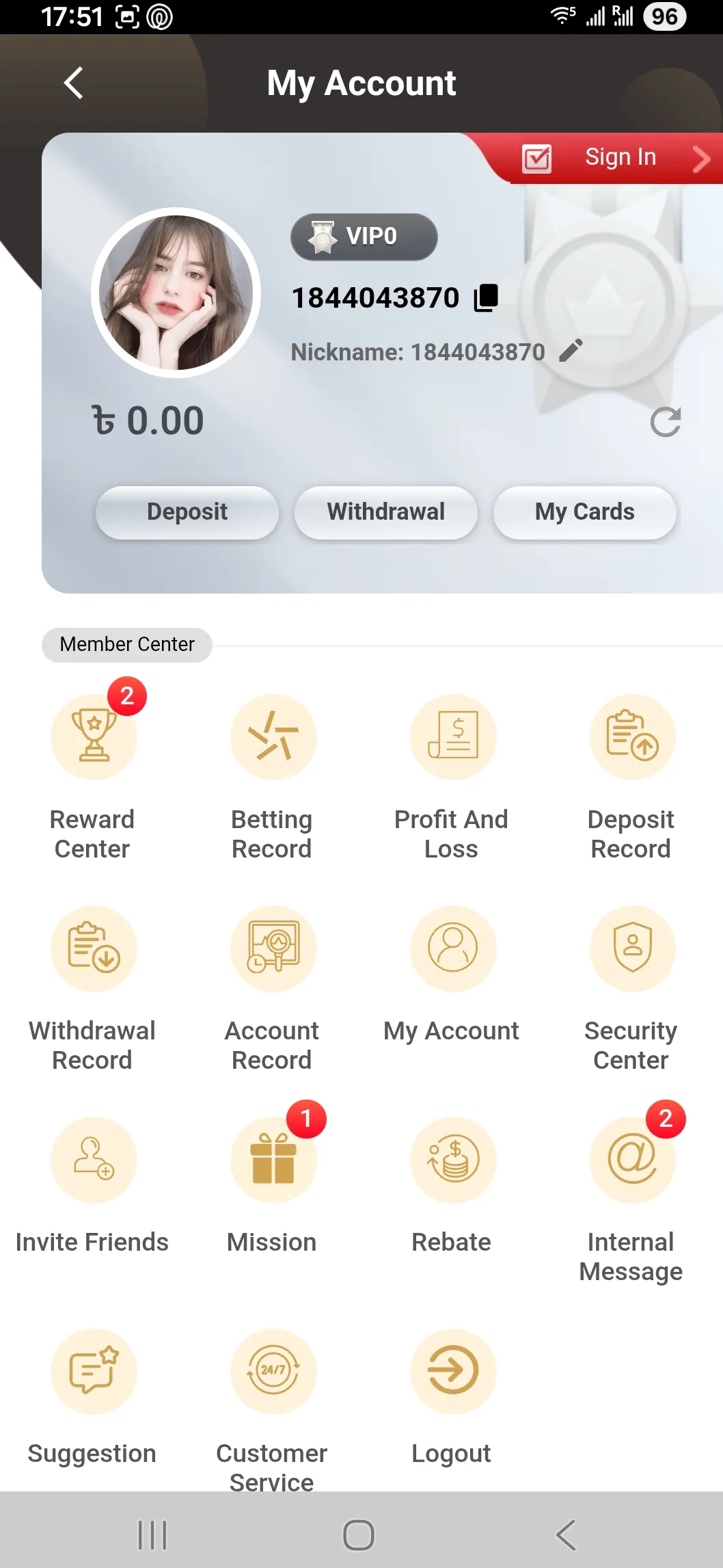
CV666 account dashboard

What you can do after login

Personal Center opens your balance, Deposit and Withdrawal screens, Reward Center, Betting Record, and internal messages. It is also where you track referral income and VIP progress across the TAKA Alliance style loyalty setup.

Password recovery and account access reset

If you forgot your password, use the Forgot password link on the login screen. The exact recovery method can depend on what CV666 requires at the moment, but in practice the platform is built around phone number binding.

What to do before you reset:

  • Confirm that your SIM is active and can receive messages.
  • Avoid repeated wrong attempts. Too many failures can trigger temporary restrictions.
  • If you recently changed devices, keep the old one available until you regain access.

After you restore access, update two things immediately:

  1. Choose a unique password you do not use for bKash, Nagad, or Rocket.
  2. Review your linked withdrawal wallet information so you know where future payouts go.

If you cannot recover through the standard flow, contact support and be ready for identity checks. CV666 can request documents for dispute resolution and higher value withdrawals.

Open CV666 support and login page
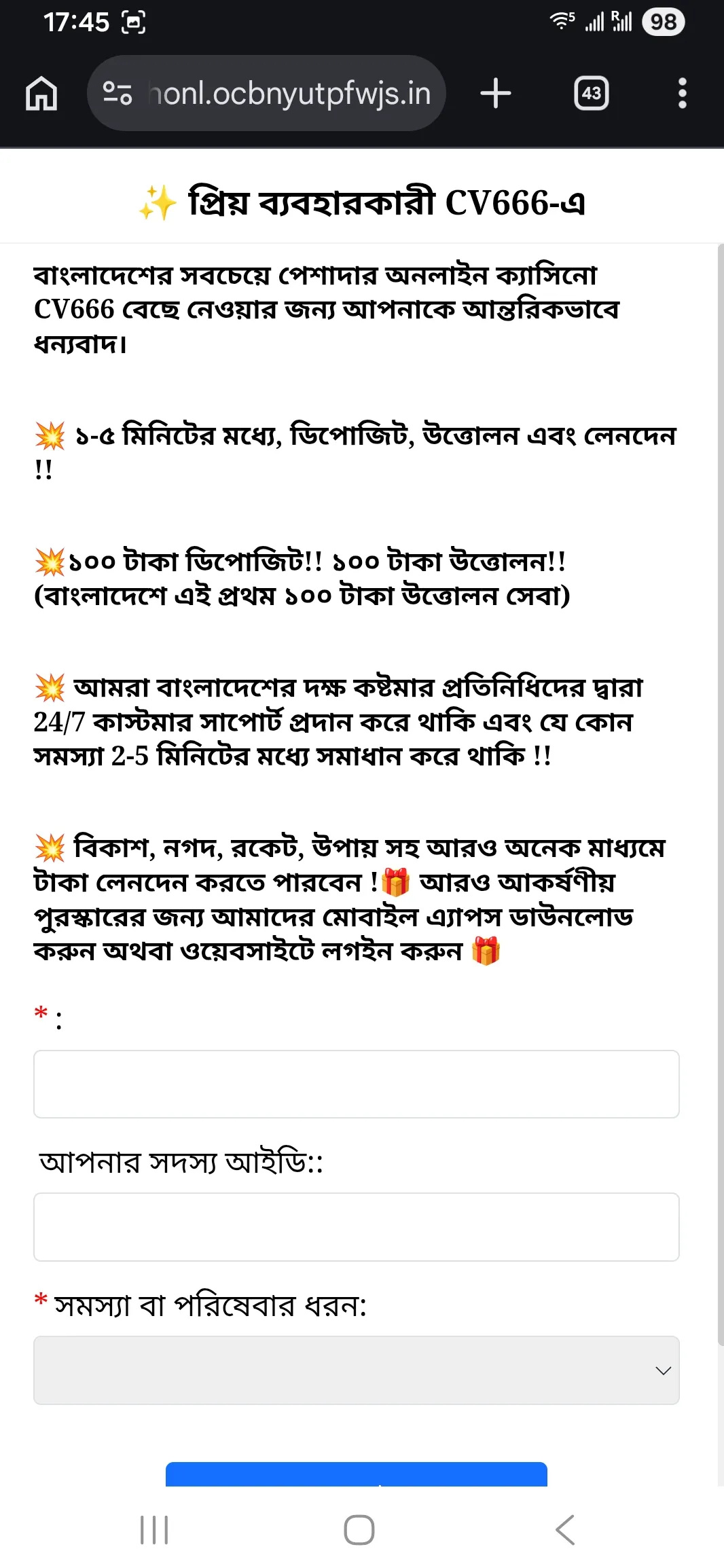
CV666 support form

Support can help with login issues, but it is faster if you provide your Member ID and the exact problem type.

Login security: what CV666 checks and what you control

Security on CV666 is not only about SSL. The platform also uses behavioral controls that affect login and bonuses.

Here is what is known from platform rules and interface behavior:

  • Phone number binding is required for account actions and many promotions.
  • The system can monitor IP address, device patterns, and payment data to detect bonus abuse.
  • Promotions are often limited to one user per IP, device, payment method, or identity.
  • The casino reserves the right to cancel promotions, reclaim issued bonus value, and freeze accounts for suspected fraud.

What you can control:

  • Use one account only, and do not create backups.
  • Avoid public Wi Fi when you log in, especially before withdrawals.
  • Keep your Telegram bonus codes private. Many codes have limited daily quota.

A good rule: treat your login as the key to your payment methods, because deposits and withdrawals sit right behind the Personal Center.

CV666 accounts are phone number based and protected with device and payment checks, which helps reduce bonus fraud and account hijacking.

If CV666 detects duplicated accounts or shared payment details, it can cancel promotions and freeze balances during investigation.

Log in first, then take two minutes to review your wallet details and internal messages. That small habit prevents most payout and bonus misunderstandings.

Login and payments: why access affects deposits and withdrawals

On CV666, wallet actions sit inside the logged in area. This is important because the deposit system in Bangladesh often uses a manual confirmation flow.

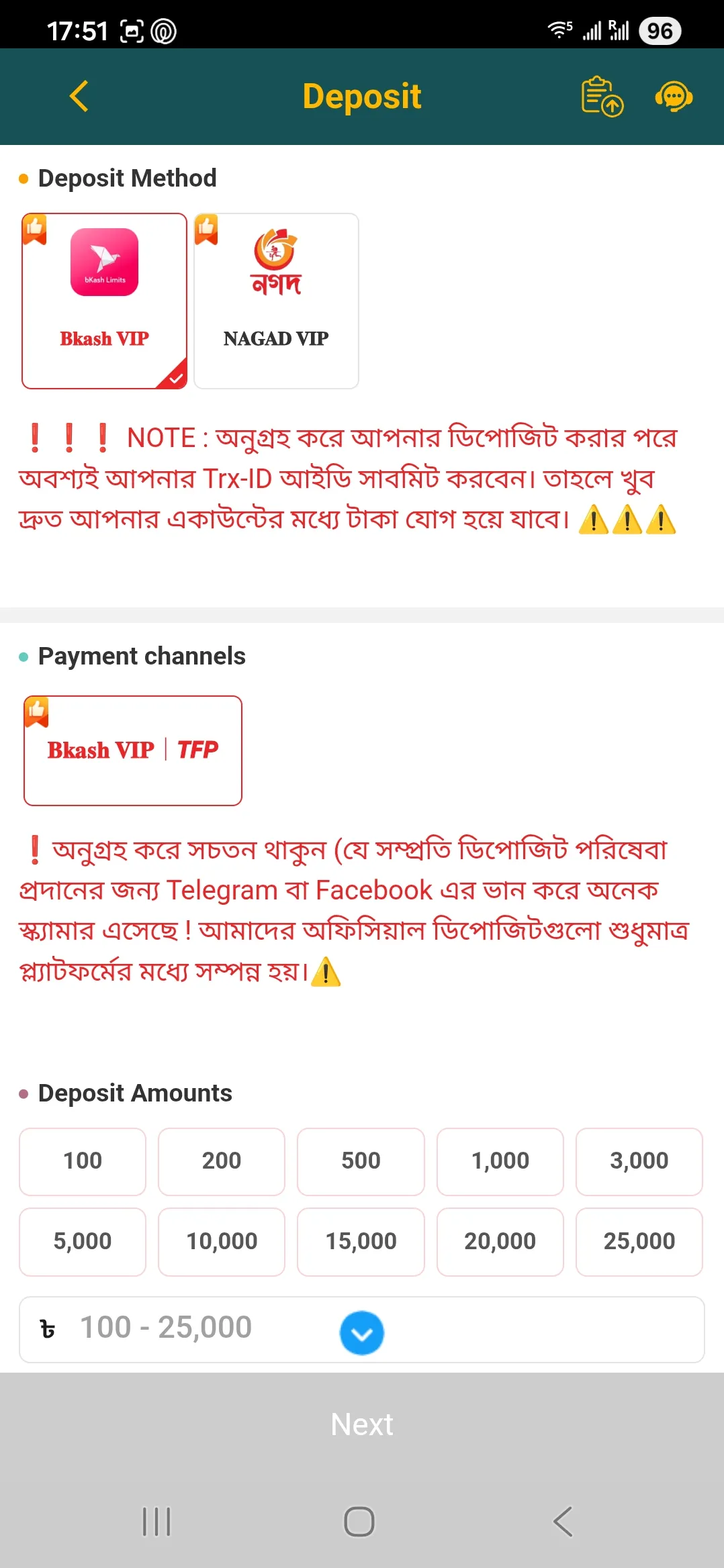
In simple terms, you transfer funds via a local wallet, then you submit the transaction reference so the platform can credit your balance. If you are not logged in, you cannot reach the Deposit Info instructions or submit the Trx ID.

Below is a compact view of the main payment options players use in Bangladesh. The icons help you spot the right method quickly.

Payment methods used by Bangladesh players

Method Best for
bKash Fast everyday deposits and withdrawals
Nagad Alternative wallet if bKash is busy
Rocket Bank linked transfers and payouts
Bank card International use cases and card deposits

If a deposit does not credit, the most common reason is a wrong Trx ID format or an amount mismatch. CV666 warnings mention that the platform may not compensate user input errors, so careful typing matters.

Log in to manage deposits
Deposit screen with Trx ID note

Deposit uses wallet transfer instructions and asks for the Trx ID to confirm and credit the balance.

After login: where to check your activity and rewards

Once you are signed in, two sections give the clearest picture of your account.

Betting Record for a clean history view

Betting Record lets you filter by category like Slot, Live, Sports, Poker, and Fish. It also shows totals such as bet amount and profit and loss. This is the fastest way to confirm that wagering requirements are being met.

Reward Center for daily bonuses and missions

Reward Center is where CV666 places daily sign in, rescue fund claims, and event related rewards. Some bonuses require you to claim them the next day before a time limit, so checking this section after login is useful.

If you like structured onboarding, CV666 runs a New Member Growth Plan with seven days of rewards. It resets if you miss a day, so logging in daily matters more than long sessions.

Betting record overview

Betting Record shows category tabs and totals, which helps you track wagering and results.

Enter CV666 and open Reward Center

Log out and device switching

Logging out is easy to ignore, but it matters if you play on more than one device.

Use Log out when:

  • You used someone else phone or a shared computer.
  • You signed in through a public network.
  • You plan to change your password.

If you switch between phone and laptop often, expect occasional re login prompts. Clearing cookies, reinstalling the app, or enabling aggressive battery saving can also end sessions.

When you log back in, check internal messages first. CV666 frequently publishes bonus updates, VIP salary timing, and event announcements in the platform message inbox.

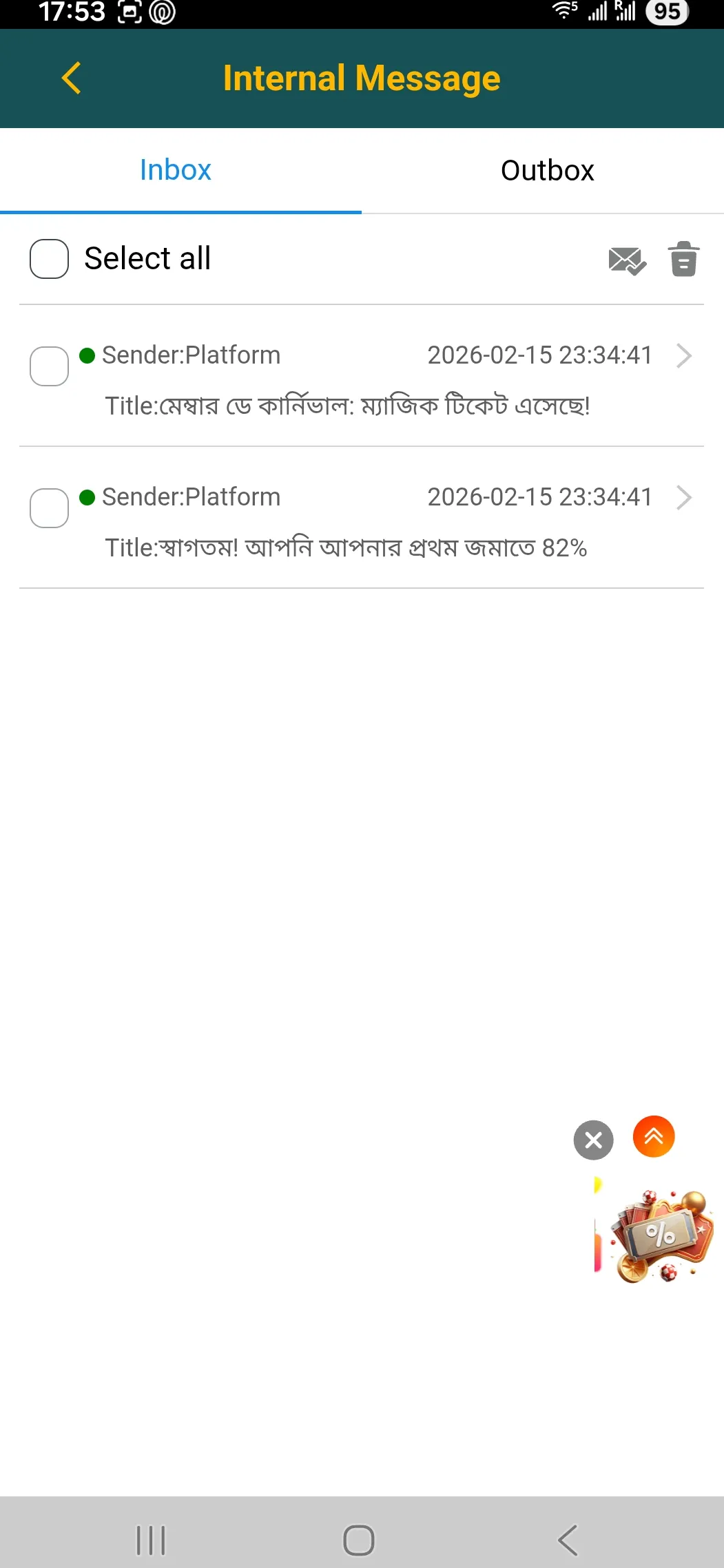
Internal messages inbox

Internal messages include promo updates and event reminders that you may miss if you do not log in regularly.

If you see a new promotion message after login, read the conditions first. Many CV666 bonuses have turnover rules and anti fraud limits.

FAQ about CV666 login

What do I use as my CV666 login username

Your phone number is the main identifier. Enter the same number you used during registration, then your password.

Can I log in to CV666 using email

CV666 is built around phone number based accounts. In practice, most players sign in with a mobile number rather than email.

Does CV666 support social login like Facebook or Google

Some login screens show social buttons, but the core account is still tied to your phone number. If you use a social option, keep your phone binding active for account recovery.

Why does CV666 not open on my network

Some domains can be blocked by an ISP. CV666 uses a multi domain approach, so a mirror can work with the same account. Use the official access route and try again.

What should I do if I forgot my password

Use the Forgot password option on the login form. If the standard flow fails, contact support with your Member ID and be ready for identity checks in sensitive cases.

Why am I logged out often in a browser

Clearing cookies, using private mode, or browser settings can end sessions. The app usually keeps sessions more stable than a mobile browser.

Can I use the same account on two devices

Yes, but frequent switching can trigger extra checks. For smoother play and fewer bonus issues, use one main device and avoid shared Wi Fi.

Is it safe to use Remember me

It is safe on your personal phone with a screen lock. Avoid it on shared devices because it keeps the session active and can expose wallet actions.

How do I know I am really logged in

When you are logged in, you see your balance, VIP level, and access to Personal Center sections like Deposit, Withdrawal, and Reward Center.

Where can I see the newest CV666 announcements after login

Open Internal Message in your account. CV666 often posts promotion updates and event schedules there.

Open CV666 and sign in now